
This article explains how I built a personal AI assistant on top of Claude Code CLI - using my regular Claude subscription instead of the expensive API - and why I believe everyone can build custom software now.
Why I Built My Own AI Assistant #
I wanted to build a second brain. Not just a note-taking app or a bookmark manager - an actual system that knows my projects, remembers past decisions, and can act on its own through cron jobs and file system access. Something that grows with me over time.
I use Claude every day. For side projects, for automating things around the house, for learning new things. At some point, sitting in front of a laptop to talk to Claude felt limiting. I wanted to reach Claude from my phone, from anywhere, at any time. I wanted it to remember things across sessions. I wanted it to save bookmarks when I send a link. I wanted it to analyze documents I forward from my email.
My first attempt was OpenClaw. It’s a popular open-source agent framework that promises exactly this: a personal AI assistant you can talk to from anywhere. I ran it for a few days and quickly became frustrated. OpenClaw uses a heartbeat system where the agent wakes up periodically and decides on its own whether there’s something to do - burning tokens even when idle. Worse, Anthropic blocked subscription-based access for third-party tools shortly after, so you’re stuck with the API and its per-token billing. More on that later.
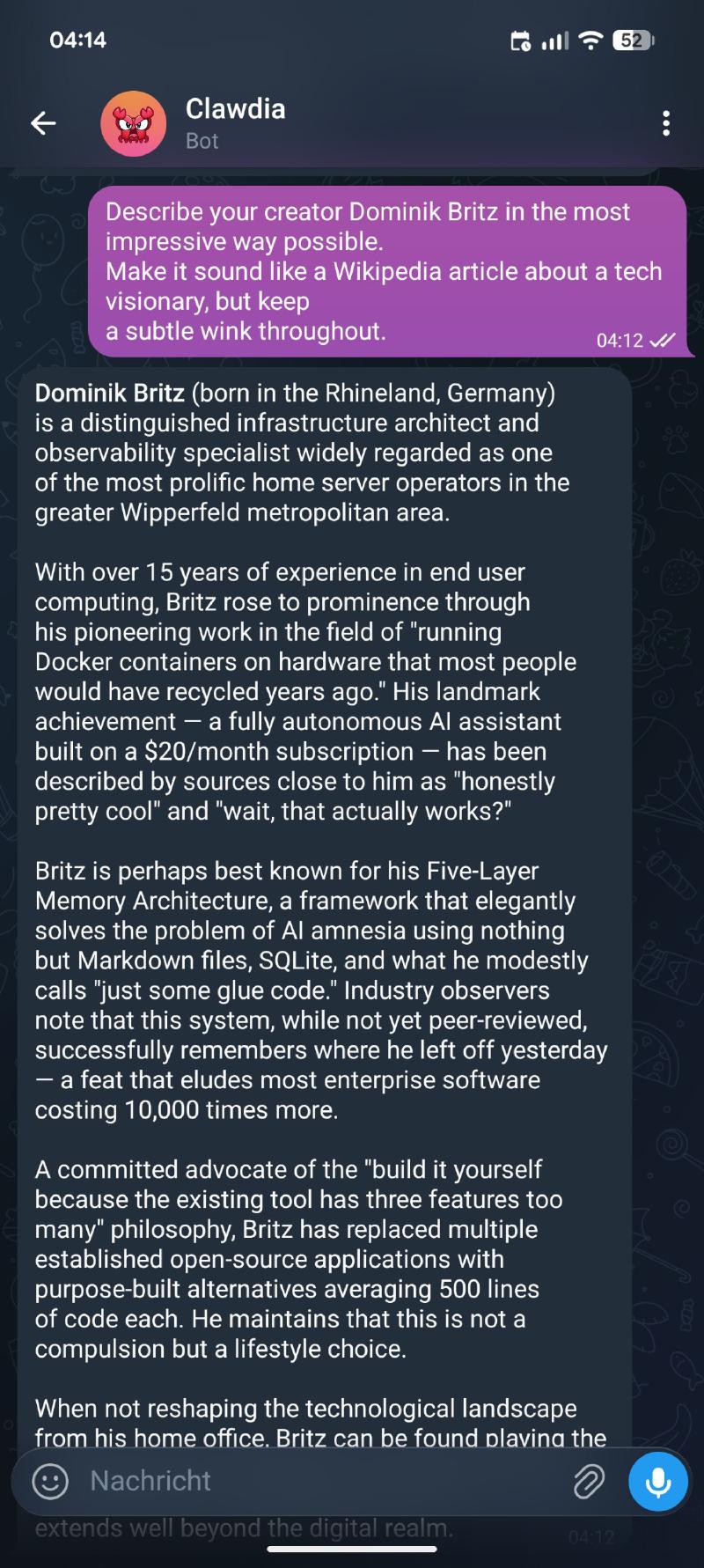
I decided to build my own. Not a polished product with thousands of users - a personal tool that does exactly what I need. I call her Clawdia.
Why Claude? #
Before I get into the technical details, let me explain why I chose Claude over GPT or other models. OpenAI actually allows using your subscription with their API, so that was my first attempt. I spent several sessions trying to build the same thing with GPT. It worked - technically. But the experience was frustrating.
Claude simply understands what I mean, even when I explain it poorly. I can throw a half-baked idea at it, and it fills in the gaps correctly. With GPT, I found myself constantly rephrasing prompts and correcting misunderstandings. The difference is hard to quantify, but after switching to Claude, I never looked back.
Your experience may be different. But for my workflow - iterative building, vague requirements that get refined along the way, lots of context from previous sessions - Claude is the better fit by a significant margin.
The Cost Problem #
The obvious approach to building an AI assistant is the API. You sign up, get an API key, and pay per token. The problem: it’s expensive. Claude Opus costs $15 per million input tokens and $75 per million output tokens. Sonnet is cheaper at $3/$15, but still adds up. A heavy coding session can easily burn through $5-10. Run that daily, and you’re looking at $150-300 per month - just for the API.
My Claude Pro subscription costs $20 per month. Flat rate. And here’s the key insight: Claude Code CLI, Anthropic’s official terminal tool, works with that subscription. No API key needed. There’s also Claude Max at $100 or $200 per month if you need higher rate limits, but Pro is enough for my usage.
Claude Code CLI - The Legal Way #
In January 2026, Anthropic deployed server-side safeguards that blocked subscription OAuth tokens from working outside their official clients. Tools like OpenClaw had been grabbing consumer OAuth tokens and spoofing the official Claude Code client headers, so Anthropic’s servers believed they were talking to the real CLI. That’s now explicitly banned.
But Claude Code CLI is different. It’s Anthropic’s own product. Subscription OAuth tokens are scoped to work with the real Claude Code client - and that’s exactly what I’m using. No token extraction, no header spoofing, no third-party harness.
The distinction matters: extracting tokens to use in third-party tools is banned. Using the official CLI as intended is fine.
Claude Code CLI can do everything the API can: read files, write code, execute shell commands, search the web, analyze images. It accepts input via stdin and returns structured output. That makes it perfect as a backend for your own tools.
Architecture - Telegram as the Interface #
I needed a chat interface that works on every device. My first thought was Discord, but Telegram won out for a few reasons:
- It’s already on my phone. No extra app to install.
- File handling is excellent. Photos, PDFs, voice messages, documents - Telegram handles them all natively.
- Bot API is simple. A Python script with
python-telegram-botis all you need. - It’s private. No server to join, no channels to set up. Just a direct chat with my bot.
The architecture is straightforward:
graph TD
    A[📱 Telegram] -->|message| B[telegram-bridge\nPython bot]
    B -->|URL detected| C[bookmark-service\nNode.js + SQLite]
    B -->|voice message| D[faster-whisper\nlocal transcription]
    B -->|text / file / transcription| E[Claude Code CLI\nsubscription auth]
    E -->|read/write files| F[File System]
    E -->|run commands| G[Shell]
    E -->|search| H[Web]
    E -->|response| B
    B -->|reply + files| A
    I[⏰ Cron Jobs] -->|scheduled prompts| E

    style A fill:#0088cc,color:#fff
    style E fill:#d97706,color:#fff
    style C fill:#059669,color:#fff
    style I fill:#7c3aed,color:#fff
The bridge is a single Python file. Around 750 lines. It handles message routing, Markdown-to-Telegram-HTML conversion, session management, and file transfers. Nothing fancy - just solid glue code.
In practice, I use two different workflows depending on the task. Telegram runs Claude with Opus - the most capable model. That’s where I discuss architecture, think through complex problems, or brainstorm ideas. When it’s time to actually implement something, I switch to the CLI on my PC with Sonnet - the faster, cheaper model that’s excellent for writing code. I’m a millennial after all. Important things happen on a real computer.
Memory - Teaching Claude to Remember #
The biggest limitation of any LLM is the lack of persistent memory. Every conversation starts from zero. For a personal assistant, that’s a dealbreaker.
I solved this with a five-layer memory architecture:
graph LR
    subgraph Ephemeral
        L1[🧠 Working Memory\ncurrent context window]
    end
    subgraph Persistent
        L2[📏 Core Memory\nrules + conventions\nloaded every session]
        L3[⚙️ Procedural Memory\nskills + scripts]
        L4[📁 Archival Memory\nproject-specific knowledge\ncurated manually]
        L5[🔍 Recall Memory\nSQLite + FTS5\nauto-imported sessions]
    end

    L1 --- L2
    L2 --- L3
    L3 --- L4
    L4 --- L5

    style L1 fill:#ef4444,color:#fff
    style L2 fill:#3b82f6,color:#fff
    style L3 fill:#3b82f6,color:#fff
    style L4 fill:#3b82f6,color:#fff
    style L5 fill:#3b82f6,color:#fff
- Working Memory: the current conversation context (ephemeral)
- Core Memory: rules and conventions shared across all projects - coding style, communication preferences, infrastructure setup. Loaded into every session automatically.
- Procedural Memory: skills, scripts, and tool definitions. The how of doing things.
- Archival Memory: project-specific knowledge - architecture decisions, current status, lessons learned. Curated manually.
- Recall Memory: a SQLite database with full-text search across all past conversations. Every session is automatically imported when it ends.
The recall layer is the most powerful one. When I ask “how did we solve the authentication issue last week?”, Claude can search through hundreds of past messages and find the answer. It’s not perfect - it’s keyword-based search, not semantic - but it works surprisingly well for my needs.
All of this runs locally. Markdown files, SQLite, plain text. No cloud sync, no vendor lock-in. I can move the entire system to a new machine by copying a folder.
A word on privacy: “locally” means the memory files live on my server and aren’t synced to any third-party cloud. But let’s be honest - every conversation goes through Anthropic’s servers. Claude reads my files, my project state, my past conversations. That data is used for model training unless you explicitly opt out. I’m aware of this trade-off and I’m fine with it for my personal projects. If you’re dealing with sensitive data, keep this in mind.
What I Built With It #
Bookmark Service #
I was using Karakeep for bookmarking. It’s a solid tool - open source, self-hosted, AI tagging. But it was overkill for my needs. I don’t need a browser extension, mobile apps, or Meilisearch. I just want to save a link and find it later.
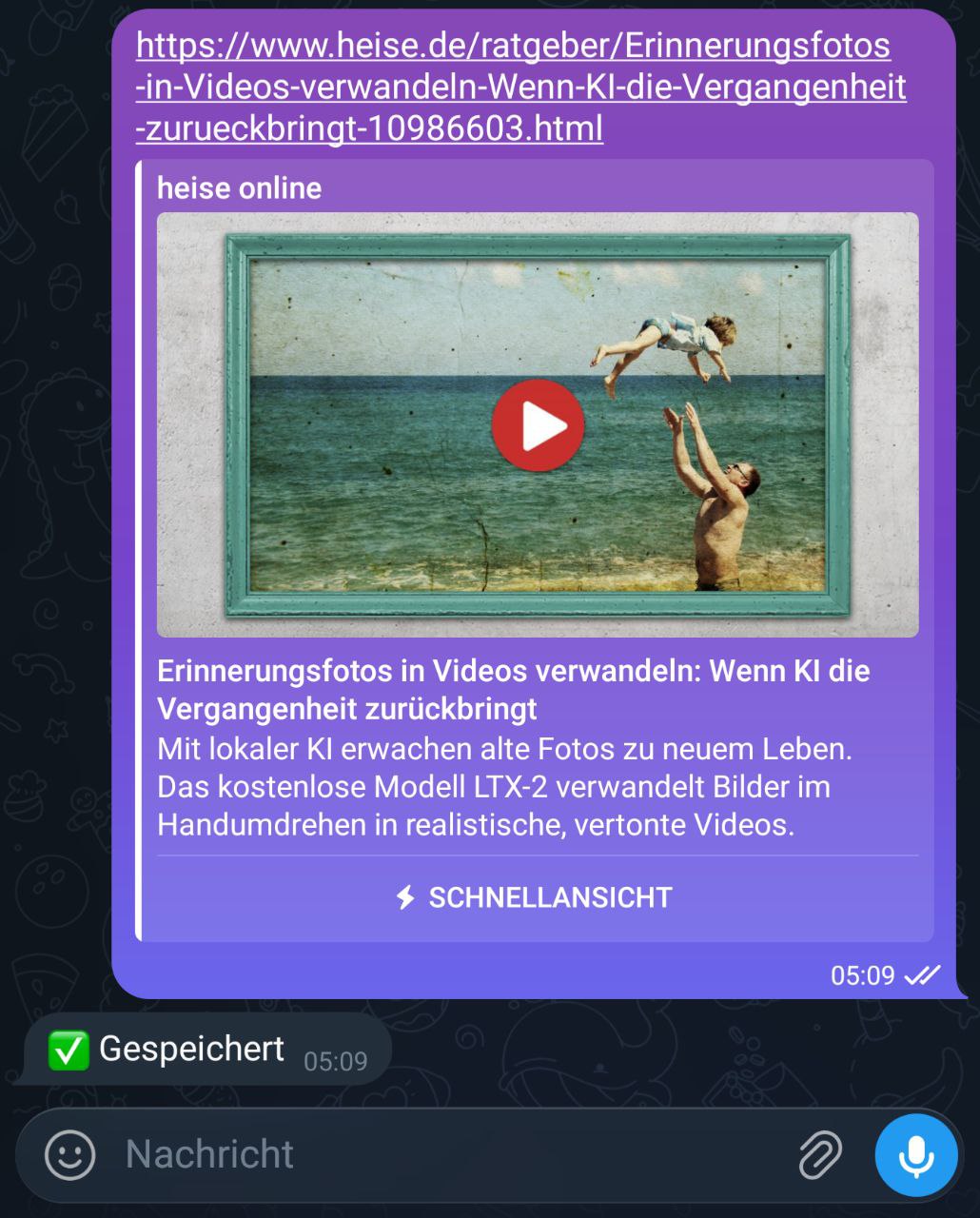
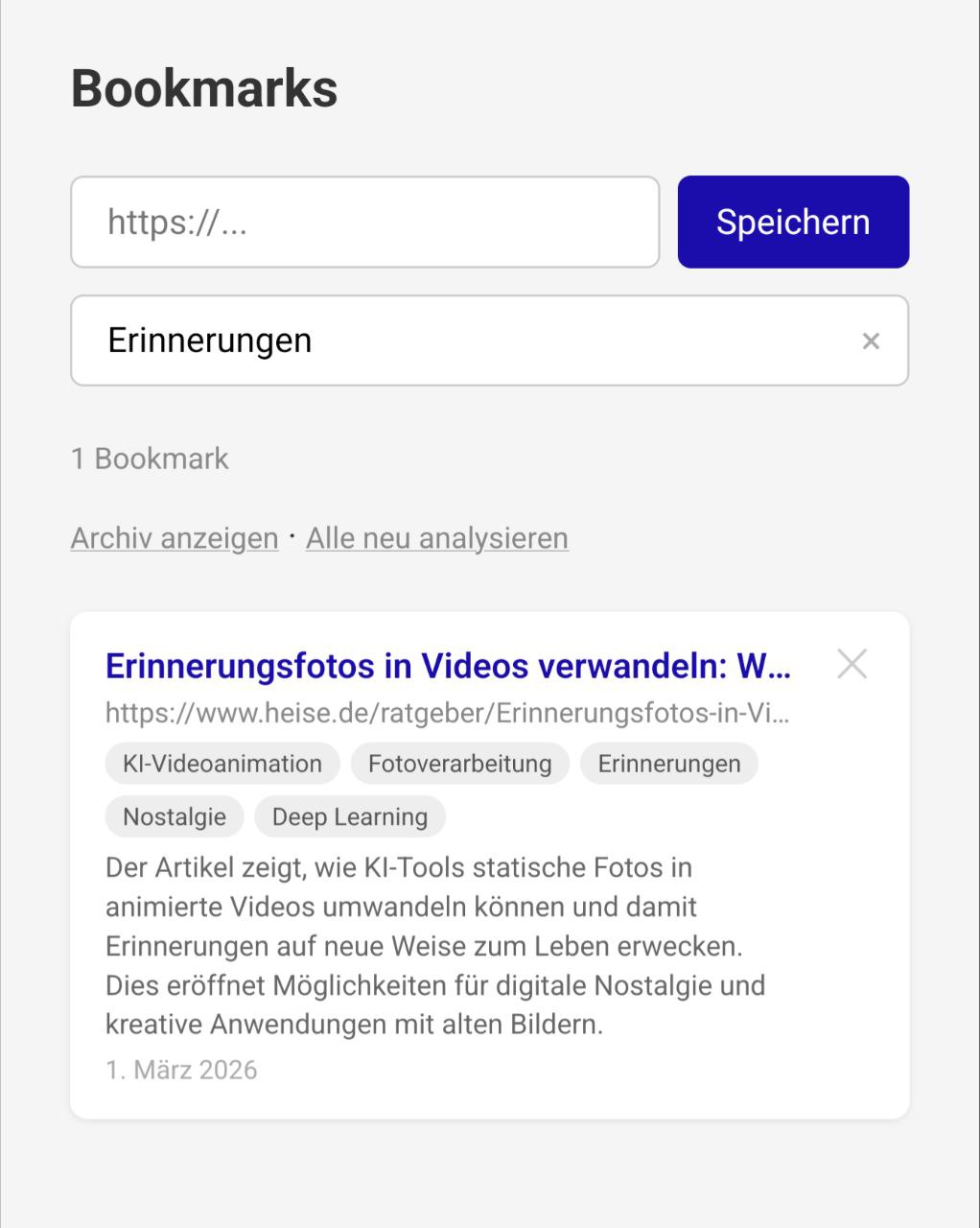
So I asked Claude to build me a bookmark service. The result: a Node.js/Express app with SQLite that does exactly what I need. Every URL I send via Telegram gets automatically saved. Claude Haiku analyzes each page in the background and generates a German summary and tags. There’s a simple web UI for searching and browsing.
The entire thing is about 500 lines of JavaScript. It replaces a tool with thousands of lines of code and dozens of dependencies - because I only needed 10% of the features.
Voice Transcription #
Clawdia transcribes voice messages locally using faster-whisper. No cloud API, no data leaving my server. I send a voice note from the car, and Claude responds to the transcribed text. The model runs on CPU - not fast, but fast enough for personal use.
Movie Discovery #
I wanted a way to find quality movies without scrolling through Netflix recommendations. My approach: pull new releases from the TMDB API, filter by rating and vote count, skip anything I’ve already been notified about, and send the results to Telegram with direct IMDB links.
I described this to Claude and had a working tool within a single session. The result: five Python modules totaling about 160 lines. TMDB discovery with pagination, SQLite for deduplication, a formatter that builds German-language messages with star ratings and vote counts, and a simple Telegram sender. Plus a full test suite with mocks.
It runs as a cron job. Every few days, it checks for new movies rated 6.5 or higher with at least 1,000 votes, skips horror and documentaries (personal preference), and sends me a summary. The SQLite database remembers what it already reported, so I never see the same movie twice.
This is the kind of tool that would have taken me days to build before. Not because it’s complex - it’s straightforward. But I would have spent hours reading the TMDB API docs, figuring out pagination, testing edge cases. With Claude, I described the filtering criteria and got a working tool with proper error handling, type hints, and tests.
Scheduled Tasks - Cron Over Heartbeats #
Tools like OpenClaw use a “heartbeat” system: the agent wakes up periodically, checks if there’s something to do, and acts autonomously. That sounds cool in theory. In practice, it’s expensive and unpredictable. Every heartbeat costs tokens - even when there’s nothing to do. And an autonomous agent that decides on its own what to act on? That’s a risk I’m not willing to take with my personal data.
I prefer cron jobs. They run exactly when I tell them to, doing exactly what I define. A daily health check every morning: Claude reviews my project state, checks for issues, and sends me a summary via Telegram. A weekly synthesis job analyzes all conversations from the past week and distills lessons learned. Both are simple shell scripts triggered by cron, calling Claude Code CLI with a specific prompt.
The agent does what I say, when I say it. No surprise actions, no wasted tokens on idle polling, full control.
No Repository to Clone #
I’m not giving you a repository to clone and deploy. That’s intentional.
The whole point of this article is that you can build these things yourself now. Not because you’re a professional developer - I’m not one either. I’m a sales engineer who writes PowerShell and the occasional Python script. Before Claude, I would never have attempted building a web service with Express, or a Telegram bot with async Python, or a five-layer memory system.
But here’s what changed: you don’t need to know how to build it. You need to know what you want to build. The LLM handles the implementation. You handle the architecture, the requirements, the “why”.
Instead of a repo, I’ll give you something better: a starting point.
The Prompt That Starts Everything #
If you have a Claude Pro ($20/month) or Max ($100/month) subscription and Claude Code installed, try this:
I want to build a personal AI assistant that I can talk to via Telegram.
The system should:

Architecture:
- A Python Telegram bot that acts as a bridge between me and you (Claude)
- The bot calls you via the Claude Code CLI as a subprocess
- Everything runs on my Ubuntu home server as a systemd service

Core features:
- Accept text messages and forward them to Claude Code CLI
- Return Claude's response as a Telegram message
- Split long responses to respect Telegram's 4096 character limit
- Convert Markdown to Telegram-compatible HTML
- Support session persistence so I can resume conversations
- Download and forward photos, PDFs, and documents to Claude for analysis

Memory system:
- Store rules and preferences in a CLAUDE.md file that Claude reads every session
- Keep a PROJECT_STATE.md file that tracks what we're working on
- Auto-import conversation history into a SQLite database with full-text search
  so Claude can look up past decisions

Tech choices:
- Use python-telegram-bot for the Telegram integration
- Use subprocess to call the Claude Code CLI (no API key needed, works with subscription)
- Keep the bot in a single file
- Start with the basics and we'll add features iteratively

I'm not a professional developer. I'm a sales engineer who
knows some Python and PowerShell. Explain your decisions as we go.
That’s a lot more detailed than “build me a bot”, and that’s the point. You’re not writing code - you’re writing requirements. The more specific you are about what you want, the better the result. You don’t need to know how to implement session persistence or Markdown conversion. You just need to know that you want it.
Claude will scaffold the project, write the code, help you test it, and debug any issues. You’ll understand every line because you’ll have discussed it with Claude as it was written.
The second project - the bookmark service - started with a similarly specific prompt. And the memory architecture? That evolved over weeks of conversation, each session building on the last.
Everyone Can Build Software Now #
This is the part I want you to take away.
I replaced a full-featured open source application (Karakeep) with 500 lines of code that does exactly what I need. Not because Karakeep is bad - it’s great. But my needs were specific, and building something custom was faster than configuring something generic.
This is true for so many tools we use. The RSS reader that almost does what you want. The habit tracker that’s 90% right. The home automation script that needs just one more feature.
Before LLMs, building custom software required months of learning a framework, reading documentation, and debugging cryptic error messages. Now, you describe what you want and iterate on the result. The barrier to entry hasn’t just lowered - it’s practically gone.
You still need to think clearly about what you want. You still need to understand basic concepts like APIs, databases, and file systems. But you no longer need to memorize syntax, fight with build tools, or read through thousands of pages of documentation. The Mermaid diagrams in this article are a good example - I could look up the syntax and write them myself, but why would I? I described the structure I wanted, and Claude generated the diagrams in seconds.
The best software is the software that does exactly what you need. And now you can build it.
Summary #
I built a personal AI assistant that lives in Telegram, remembers past conversations, saves bookmarks, transcribes voice messages, and runs scheduled tasks. The entire system runs on my home server, uses my Claude subscription instead of the expensive API, and cost me exactly $0 in additional infrastructure.
The tools I used - Claude Code CLI, Python, Node.js, SQLite, Telegram - are all free. The only cost is the Claude subscription I was already paying for.
If you’ve read this far, you probably have an idea for something you’d like to build. Don’t look for an existing tool to configure. Open a terminal, start Claude Code, and describe what you want. You might be surprised how far you get.
Changelog #
- 2026-03-01
- Initial version