
My PowerShell module to control logging of various Citrix components is now available in version 0.2. With it comes support to control Citrix Receiver logging.
Citrix Receiver is not a single piece of software. Instead it consists of multiple components. You are able to control the logging of three components: General, Authentication Manager and SelfService-PlugIn. Logging of all components is disabled by default and is controlled by registry keys. More information is available here: CTX132883.
My PowerShell module manipulates the needed registry keys. Version 0.2 publishes two new cmdlets:
- Enable-CTXReceiverLogging
- Disable-CTXReceiverLogging
You can define which component you want to control with parameters. Below is an excerpt of the help.
<#
	.SYNOPSIS
	Enables logging for Citrix Receiver.

	.DESCRIPTION
	Enables logging for Citrix Receiver. You can enable general, Authentication Manager and Self-Service Plugin logging. Have a look at the parameters for details. You have to reboot the system for changes to take effect.

	.PARAMETER General
	Enables general logging for Citrix Receiver.

	.PARAMETER AuthenticationManager
	Use this parameter settings to enable logging for authentication issues (for example StoreFront, and so on.)

	.PARAMETER SelfServicePlugin
	Use this parameter to enable logging related to subscribed applications and the communication with StoreFront.
#>
Let’s enable logging for the Authentication Manager component:
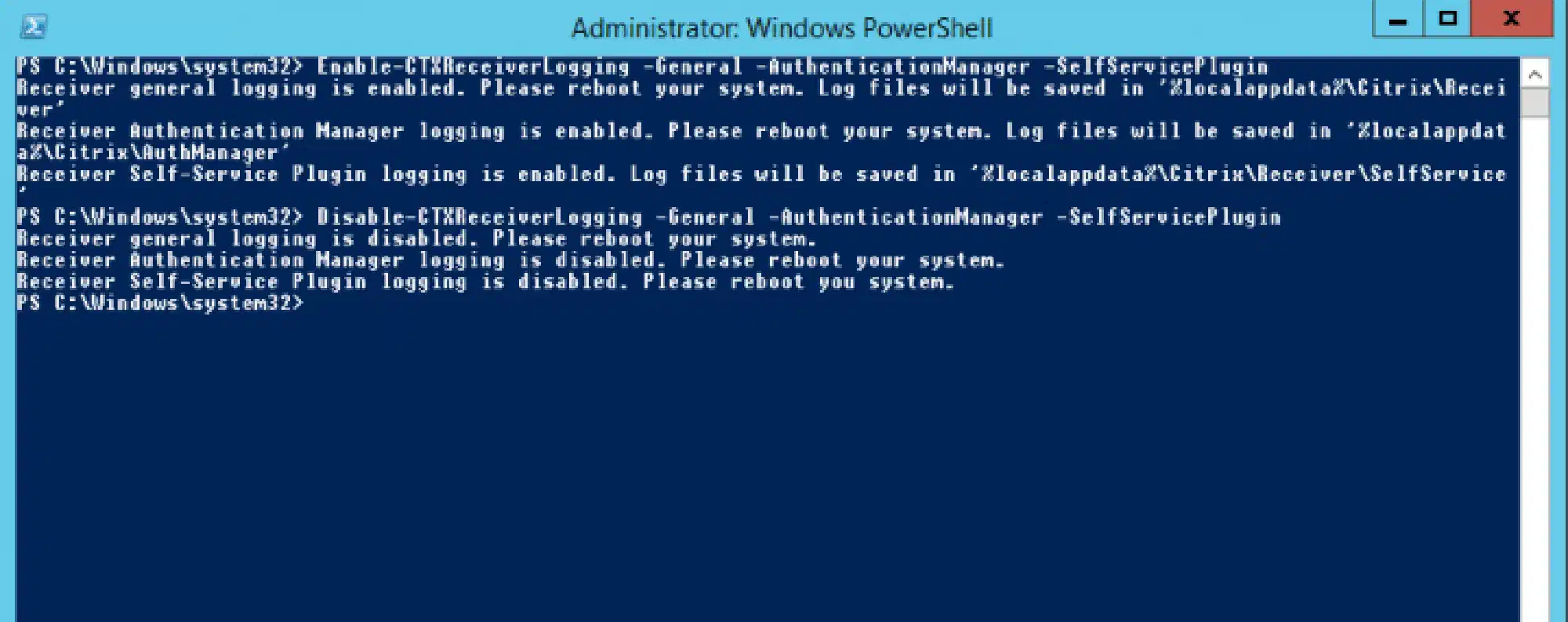
Enable-CTXReceiverLogging -AuthenticationManagerThat’s how you enable logging for all components:
Enable-CTXReceiverLogging -General -AuthenticationManager -SelfServicePluginYou disable it in the same way:
Disable-CTXReceiverLogging -General -AuthenticationManager -SelfServicePlugin